HTTP Security Headers: A Free Five-Minute Check
6 min read
Somewhere in the medium and low risk section of a scan report sits a run of findings that all look the same: this header is missing, that header is missing. The report gives you the header name and nothing else. Not what it defends against, not what happens if you ignore it, and not whether adding it will break the site. This covers the six that come up most, plus a free tool so you can test your own site before somebody else does.
1. What security headers are, and why every scanner checks them
Every time a browser asks your site for a page, the server sends back the page content plus a set of invisible instructions about how the browser should treat it. Security headers are a few of those instructions: only use an encrypted connection, do not let other sites embed me in a frame, do not guess what type this file is.
Scanners always check for them because they are one of the few things that can be judged objectively as present or absent. No attack is needed. One look at the response settles it. Which is why a missing header shows up on nearly every report, usually rated medium or low.
The good news is that these headers come from the server or the hosting platform, separately from your site code. In most cases you never touch the site itself, just add a few lines in the host or platform settings. The bad news is that two of the six will break your site outright if you set them wrong, and those two need their own time. Section 4 covers them.
2. Test first, and you will know where you stand in five minutes
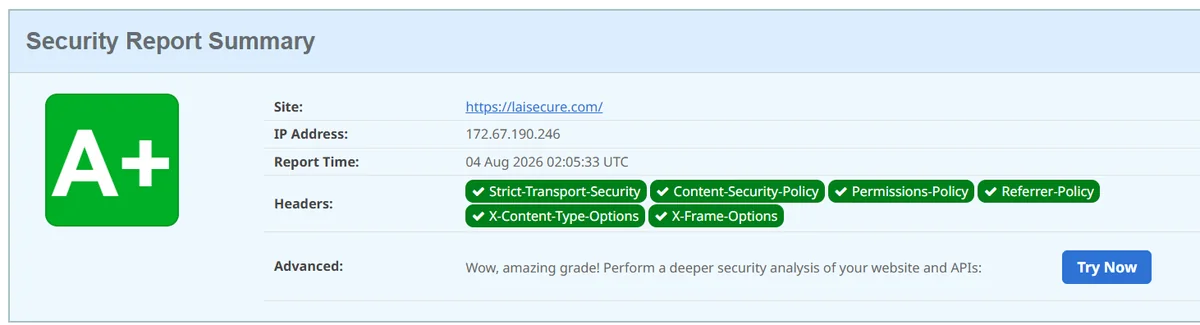
There are free online tools that test this directly. Paste in a URL and you get a grade plus a line-by-line result. Run one before you change anything, so you know what is missing and have something to compare against afterwards.
Go to securityheaders.com, paste the address, hit scan, and the result comes back in seconds. You get a grade from A to F and the actual contents of each header. Further down the page it lists every header the server returned. That list is exactly what a vulnerability scanner sees, so it is the same data your report was built from.
Remember that it tests one URL. The home page, the admin login, the address a form posts to: these do not necessarily share settings, particularly on a site stitched together from several systems. Test each important path separately, or you will finish with a perfect home page and an admin area still uncovered.
3. What each of the six headers blocks
Reports give you the header name and stop there. The table below says in plain terms what technique each one shuts down, so you can read it alongside your report and work out what a given finding actually means.
| Header | What it blocks |
|---|---|
| Strict-Transport-Security (HSTS) | Tells the browser this site is encrypted-only and to remember it, which removes even the first unencrypted request. A report saying HSTS missing means this one |
| Content-Security-Policy (CSP) | Declares which sources this page may load code and resources from. The most effective of the six, and the easiest to get wrong |
| X-Frame-Options | Stops other sites embedding your pages in a frame. It blocks the technique of hiding your login screen under somebody else's page and tricking a user into clicking through it |
| X-Content-Type-Options | Tells the browser not to guess file types. Without it, a file uploaded disguised as an image can end up being executed as code |
| Referrer-Policy | Controls how much source information the destination sees when a user clicks away from your page. Partly a privacy matter, and it keeps admin URLs from leaking to outside sites |
| Permissions-Policy | Switches off device features this page has no use for, such as camera, microphone and location. One less thing available to be abused |
The six sit in the same block of the report, but they are nothing like the same size of job. X-Content-Type-Options and X-Frame-Options are close to one line of configuration each and nobody will notice the change. CSP can take a full day, because it asks you to enumerate every external source your site genuinely uses. Listing them together does not make them equally expensive.
4. How to add them, and which two need care
Where you set them depends on where the site lives. In most cases the site code stays untouched and you add a few lines in the host or platform configuration.
WordPress is the easiest case: most security plugins have a page where you tick these headers on and save. If you would rather not run another plugin for a few lines of configuration, ask your host to add them at the server level instead, which has exactly the same effect. On a self-managed server, add the response headers to the web server configuration and reload it. On a static hosting platform there is normally a dedicated configuration file for response headers, so you write them in and redeploy.
One setup wastes a lot of time: a site sitting behind a CDN or a proxy. You spend an afternoon changing things on the origin, the outer layer overwrites the headers, and the test still reports them missing. With that architecture the headers belong in the CDN or proxy rules, and you retest from outside once the change is in.
Once HSTS goes out, the browser remembers the duration you specified and refuses unencrypted connections entirely for that period. If the certificate later has a problem, visitors simply cannot get in, and they cannot click through the warning the way they usually would. So set a short duration first, watch it for a while, confirm that automatic certificate renewal keeps working, and only then extend it.
The risk with CSP is that a policy set too tight kills functionality outright. Symptoms are broken layout, buttons that do nothing, embedded third-party forms or analytics that stop working, and usually no obvious error message anywhere. The right approach is to run it in report-only mode for a while, collect what would have been blocked, confirm the list is complete, and then switch it on properly. Going live with a strict policy in one step is how you break a page without noticing until a customer mentions it.
5. The report says a header is missing. How urgent is that?
Missing headers are normally rated medium or low, so nothing is on fire. They are also the cheapest category of change in the whole report: half a day can clear a whole block of medium and low findings, which makes them worth doing early. Order them by how much can go wrong, smallest first.
The order to add them in
- X-Content-Type-Options and X-Frame-Options first. Almost no side effects. The only thing to check is whether any page is meant to be embedded elsewhere, such as a booking form that lives inside a partner's site.
- Then Referrer-Policy and Permissions-Policy. Also low risk with straightforward values, and they fit neatly into the same session as the first pair.
- HSTS later. Confirm automatic certificate renewal has completed at least one full cycle before you enable it, start with a short duration, and extend once nothing has gone wrong.
- CSP last. Watch it in report-only mode before enabling it. This one deserves proper scheduled time, because it shuts down more attack surface than the other five combined.
When you are done, scan again and save the result as a screenshot or a PDF. Next time an audit comes round, or a client asks what security work has been done on your site, you have something concrete to hand over instead of answering from memory.
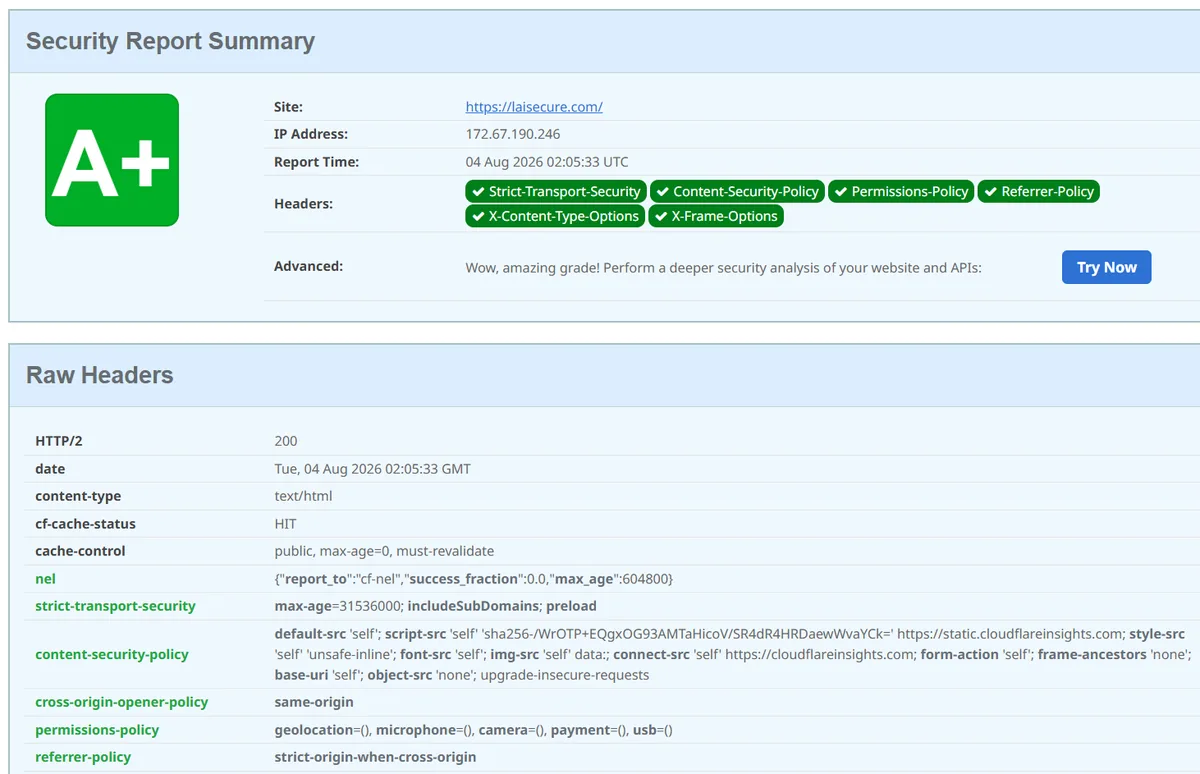
Security headers are the change with the least effort and the clearest outcome: a few lines in a configuration file, and a whole block of medium and low findings drops off the scan report. Only HSTS and CSP need real time, and those two also block the most in practice. Go and run a test, and see what you score right now.
Common questions
- My scan report says HSTS missing from https server. Is that serious?
- It is usually rated medium or low. It means your site never tells the browser to use encrypted connections only, so a user's first request can still go out unencrypted and be intercepted. Adding it is simple, but mind the duration setting: once sent, the browser refuses unencrypted connections for that whole period, and if the certificate breaks your visitors cannot get in at all. Start with a short duration and extend it once you have confirmed automatic renewal works.
- Once these headers are added, is my site secure?
- No. Security headers block a few specific categories of attack and do nothing about a vulnerable plugin, a password being brute-forced, or a misconfigured admin area. Their value is that they cost almost nothing and their effect is clear, which makes them a good piece of basic hygiene to finish early. They do not replace updates, maintenance or periodic testing.
- Some features stopped working after I set these. What now?
- Nine times out of ten the CSP is too strict. Switch it to report-only mode, repeat whatever broke, and the browser console will tell you which resource was blocked. Add that source to the allow list, confirm the feature works again, and switch back to enforcing mode. X-Frame-Options set too strictly can also break pages that are meant to be embedded, such as a form hosted inside another system.